AI CAMERA · MADE FOR REAL MOMENTS
See the moment.
Know how to capture it.
The weekend away. Her favorite outfit. A view worth keeping. ShotCoach AI helps you find your framing and adjust supported camera settings, so you can take the shot with more confidence.
Get it on Google PlayAvailable for Android · AI guidance is paid
iOS is not available yet.

ShotCoach AI
A little direction. A more thoughtful photo.
Choose your moment
Frame a portrait, landscape, or night scene. Start with the person, place, and feeling you want to remember.
Follow the guidance
Get AI suggestions for your framing and camera position. ShotCoach can adjust supported camera controls; availability depends on your device.
Make it yours
Follow the ready cue, check the expression, and tap the shutter. You choose the moment worth keeping.
Photo guides
Better photos start before the shutter.
Small, practical lessons for partners behind the camera, solo portraits, and anyone who has ever wondered what ISO actually does.
How to take better photos of your girlfriend with your phone
A practical photo plan for boyfriends: agree on the look, find gentle light, choose a camera height, guide natural movement, and review the picture together.
Read the guide ↗
Phone camera settings for beginners: ISO, shutter speed, and white balance
Understand phone camera exposure with practical starting points for portraits, movement, and night scenes, plus a simple way to diagnose blur and color problems.
Read the guide ↗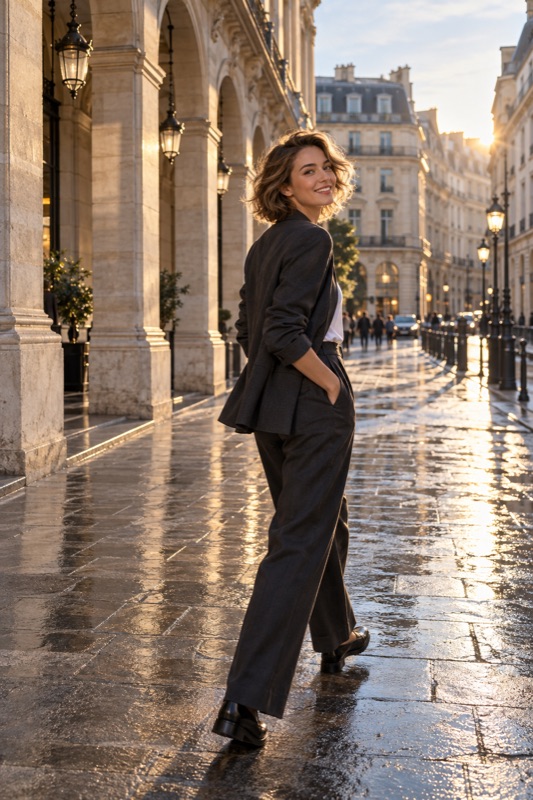
Natural poses for photos: a simple guide for camera-shy beginners
Try comfortable standing, sitting, and walking poses, learn what to do with your hands, and set up a solo portrait with your phone's supported timer.
Read the guide ↗Golden hour portraits with your phone: a simple sunset photo plan
Plan a relaxed golden hour portrait session, compare light directions, protect the face from flare, and keep shooting as sunset light changes.
Read the guide ↗Window light portraits at home: a phone photography setup without studio lights
Use one window to build an indoor portrait, compare face angles, simplify mixed lighting, and test the result before adding props or poses.
Read the guide ↗Night portraits with a phone: keep faces clear without losing the atmosphere
Find usable light for a night portrait, distinguish subject movement from camera shake, compare night mode, and preserve the evening mood without guessing settings.
Read the guide ↗Backlit portraits on your phone: fix a dark face against a bright background
Decide between a readable face and a silhouette, change your position, control flare, and test exposure without assuming HDR can rescue every backlit portrait.
Read the guide ↗Portraits in harsh sunlight: what to do when you cannot wait for sunset
Make a practical midday portrait plan: find open shade, avoid patchy facial light, compare turning away from the sun, and review face detail before posing again.
Read the guide ↗Café photo ideas for couples: tell the story of a coffee date with your phone
Plan a short café photo set with a partner portrait, table detail and shared moment, using available light without turning your date into a long photo shoot.
Read the guide ↗How to take full-body photos with a phone without awkward cropping
A head-to-toe phone photo workflow: leave room for shoes, choose distance and orientation, check the edges, and deliver an outfit photo that keeps the details.
Read the guide ↗Camera height for portraits: how to choose an angle with your phone
Choose phone portrait angles by separating height, tilt, and distance. Compare three camera positions in a controlled exercise.
Read the guide ↗Why phone portraits distort faces, and how to change the perspective
Compare camera distance and face placement to understand unfamiliar proportions in phone portraits before changing lenses.
Read the guide ↗A couple's travel photo checklist that leaves time to enjoy the trip
Plan a small set of travel portraits, share camera duties, agree on a stopping point, and leave with useful photos of the place and both people.
Read the guide ↗How to photograph someone walking with your phone
Plan a short walking path, choose between a frozen step and visible movement, inspect focus, and correct blur without endlessly repeating the walk.
Read the guide ↗How to give posing directions without making someone feel awkward
A practical communication method for beginner portrait photographers: name one action, demonstrate it, check comfort, and describe the frame rather than criticize a body.
Read the guide ↗Why are my phone photos blurry? Find the cause before changing settings
Separate a dirty lens, missed focus, camera shake, and subject movement with a repeatable phone-photo test, then choose the fix that matches the blur.
Read the guide ↗Phone photo composition: use the rule of thirds without forcing every shot
Turn a phone grid into a practical composition tool. Compare centered and off-center frames, place the horizon, and remove distractions before taking the picture.
Read the guide ↗Portrait mode vs Photo mode: which should you use for a phone portrait?
Choose between Portrait and ordinary Photo mode by the story, background detail, subject edges, and saved result rather than assuming more blur is always better.
Read the guide ↗How to take self-portraits with a phone, tripod, and camera timer
Build a repeatable solo-photo setup: secure the phone, mark your position, test focus, choose a supported timer, and correct the frame without rushing.
Read the guide ↗Phone portraits look orange or blue? A white-balance guide for natural skin tones
Separate brightness from color, diagnose mixed lighting, and compare white-balance adjustments without using one preset for every person's skin tone.
Read the guide ↗Before your next photo walk
What does ShotCoach AI help me do?
ShotCoach gives photography guidance for composition and camera position and can adjust supported camera controls. It helps you work on the shot before you capture it. Available controls and results depend on the phone, light, and scene.
Does it take photos automatically?
The current camera flow gives you a ready cue and lets you tap the shutter yourself. AI guidance and supported parameter adjustments do not mean that the shutter fires automatically.
Is AI guidance free?
AI guidance is a paid feature. Check the app and Google Play for the current offers, availability, and terms before purchasing.
Can I get ShotCoach on iPhone?
ShotCoach is currently available on Android through Google Play. An iOS release is not available yet.

Know how to capture it.
The weekend away. Her favorite outfit. A view worth keeping. ShotCoach AI helps you find your framing and adjust supported camera settings, so you can take the shot with more confidence.
Get it on Google PlayAvailable for Android · AI guidance is paid