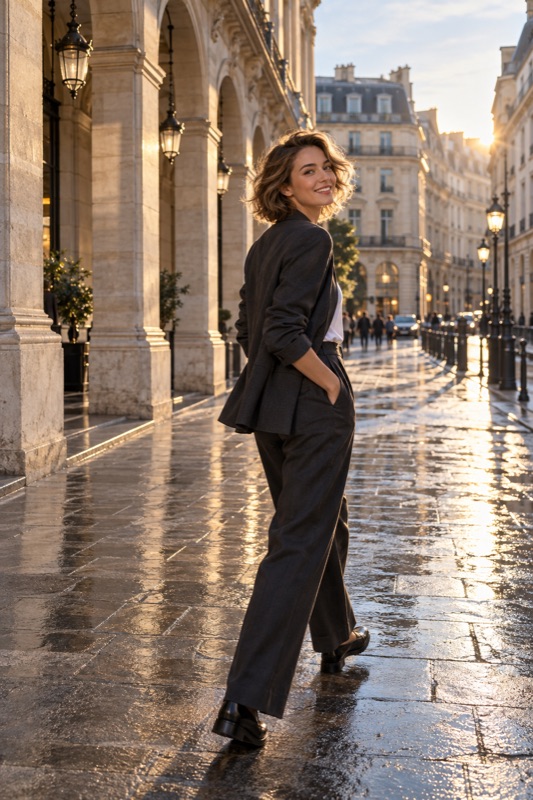
Choose a short, clear path in steady light and decide whether you want a sharp step or intentional blur. Start with an Auto test, check the saved face and feet, then change one thing: the light, walking pace, focus method, or supported shutter speed. A paused step is also a valid portrait choice.
Get it on Google PlayChoose the kind of movement you want
A walking portrait can freeze a stride, suggest movement through flowing clothing, or use deliberate blur. These are different goals. Tell the person which version you are trying so they do not repeatedly rush toward the camera while you are still deciding on the frame.
Nikon's motion guide explains that shutter speed changes how movement is recorded and that the needed speed depends on the action. There is no one setting that freezes every walker in every scene. Start by checking an actual saved photograph rather than judging only the live preview.
Set a short path and a capture zone
Pick a small stretch where the light and background stay reasonably consistent. Point out where the person should start and where you intend to photograph them. A distinct paving mark or doorway can be a shared reference without needing to place anything on the ground.
First, remain stationary while the person passes through your composition. Moving yourself adds another variable. Walking toward you changes subject distance; walking sideways needs room ahead of the person in the frame.
Make one test, then diagnose the blur
Ask for a comfortable pace and take a short set with available controls. A supported native burst mode offers more moments, but cannot automatically solve blur. Do not assume ShotCoach provides burst capture.
Inspect the saved face, hands, feet, and a stationary background detail. A sharp background with smeared limbs points toward subject movement. A soft face without a directional streak may involve missed focus. An entire frame with similar streaks suggests camera movement. Several problems can occur together.
| Observed result | Next experiment |
|---|---|
| Background sharp, moving person blurred | Find more light, try a faster supported shutter, or pause the step |
| Whole frame streaked | Hold the phone still and repeat from a stationary position |
| Face out of focus | Check available face or focus controls before repeating |
| Person leaves the frame | Widen the composition or shorten the walking path |
Worked example: a moving portrait outside a café
Illustrative scenario: your friend walks across the shaded café entrance. The building is sharp but the swinging hands blur. First move the path into a brighter area if the light is comfortable. If your camera offers manual shutter control, compare 1/250 second with 1/500 second while checking brightness. These are practice starting points, not tested presets for your phone.
If the face becomes dark, stop increasing speed blindly. Use available exposure controls or return to Auto. Alternatively, ask for one step and a pause: a portrait suggesting movement rather than continuous action.
Keep the composition help separate from motion capture
Repeat the walk only for a specific improvement, such as expression or foot position. Show the result and let the person rest. Natural-looking photographs do not require unlimited walking.
ShotCoach AI can help plan the framing and apply supported camera adjustments. AI guidance is paid and controls depend on the phone; it does not guarantee motion tracking or a fast shutter setting. Recheck when the scene changes, and press the shutter yourself at the moment you choose.
Before your next photo walk
Will a tripod make a walking person sharp?
A stable support can reduce camera movement, but it cannot stop the person's movement during exposure. You may still need more light, a shorter supported exposure, or a paused step.
Should I use night mode for someone walking?
Do not assume a mode designed for low-light scenes will keep movement sharp. Take a test and compare. If the saved person blurs, try a brighter position or a stationary portrait instead.
ShotCoach AI
Plan a clearer walking-portrait frame with ShotCoach AI for Android.
Get it on Google PlayAvailable for Android · AI guidance is paid