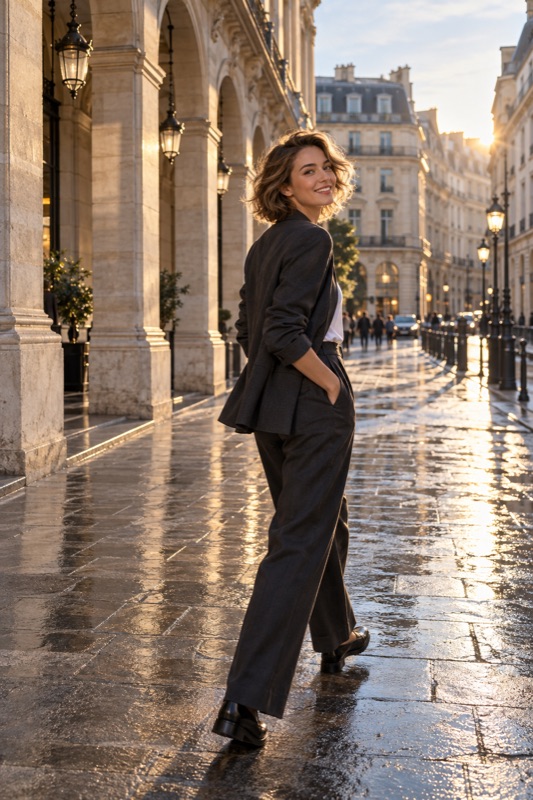
If a face looks unfamiliar in a close phone photo, move the camera farther away and compare a similarly cropped image. Keep the face away from the extreme edge of a wide frame. Changing distance changes perspective; zooming or cropping from the same position does not undo that viewpoint.
Get it on Google PlayStart with the camera position, not the person's appearance
A camera records a view from a particular point. When it is very close, the nearer parts of a face are much nearer to the lens than the farther parts, relative to the overall distance. That can make proportions look unfamiliar. It is a photographic relationship, not evidence that someone looks wrong.
TAMRON's portrait guide explicitly distinguishes focal length from camera-to-subject distance: distance is the main factor in facial perspective. A longer lens often accompanies a more distant position for the same framing, which is why simply saying ‘wide lenses distort faces’ misses an important step.
Run a distance test before changing equipment
Photograph a willing friend using the main camera from a comfortable close distance. Then step back and take a wider picture without asking them to change expression. Crop the second image so the face occupies roughly the same display area, and compare the proportions.
This is an illustrative experiment, not a device benchmark. Cropping may reduce detail, so compare perspective and sharpness separately. If the person prefers the more distant view, try a suitable camera option from that position. A 2× label does not prove a separate optical lens is active.
- Keep the person, light, and approximate camera height unchanged.
- Make a reference image without pushing the phone uncomfortably close.
- Step back and take a second image from farther away.
- Match the displayed face size with a crop for comparison.
- Compare proportions first, then assess detail and noise separately.
Check where the face sits in a wide frame
RICOH's portrait tutorial warns that faces placed near the edge of a wide-angle composition can look distorted. For a travel portrait with lots of scenery, try keeping the face nearer the central area instead of pressing it into a corner.
This does not require centering every portrait forever. Make one central reference and one off-center version, then choose deliberately. With several people, check the faces at both ends of the group. If space permits, move back and leave a margin rather than squeezing everyone against the borders.
Worked example: the restaurant selfie
Illustrative scenario: two friends take a selfie across a small table. The person nearest the phone looks much larger, and the second face is close to the edge. First bring their faces to a more similar distance from the lens. Then hold the phone farther away without stretching into an uncomfortable position.
If the framing still feels cramped, ask a companion to take the picture from farther back, or choose a different spot. Compare the saved result before adding a filter. A new color treatment will not change the viewpoint from which the original photo was recorded.
Know what a different setting can and cannot solve
Cropping changes what is included, not the original viewpoint. Optical lens correction is a different task from choosing perspective. Neither guarantees that every face will look the same.
ShotCoach AI can help you try a different frame and supported camera adjustments. It is a paid guidance feature, not a guarantee of facial reshaping or a substitute for changing position. Check the saved result with the subject and press the shutter yourself when ready.
Before your next photo walk
Does selecting 2× fix face distortion automatically?
Not if you keep the same viewpoint and only crop or magnify it. Moving farther away changes perspective. How the phone produces its 2× image, and the resulting detail, depend on the device and conditions.
Are wide-angle portraits always bad?
No. They can intentionally include surroundings or create an exaggerated viewpoint. Use enough distance and check face placement when your goal is a more familiar-looking portrait.
- TAMRON: Portrait Photography — Tips and Settings for Expressive Portraits
- RICOH: Portrait Photo Techniques — Enhancing Style
ShotCoach AI
Try a more deliberate portrait frame with ShotCoach AI for Android.
Get it on Google PlayAvailable for Android · AI guidance is paid