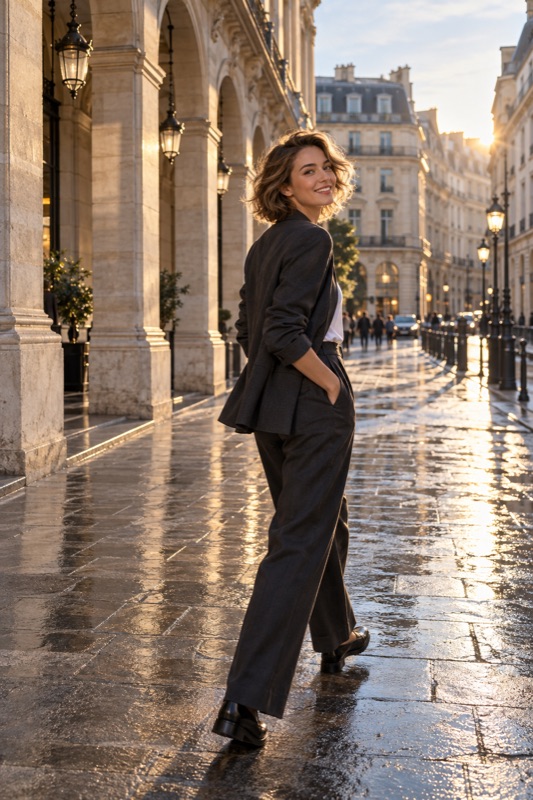
Start by asking what she likes about a reference photo. Find gentle light, choose a clean background, keep the phone level, and take a small set of pictures with one change at a time. Review the first few together before taking more.
Get it on Google PlayThe photo you took is not always the photo she imagined
Illustrative scenario: you stop at a café on a weekend trip. She asks for a picture of her outfit and the lovely street. You take a close-up with half the outfit outside the frame. Neither of you is wrong about what makes a good photo; you are picturing different photos.
Before opening the camera, ask whether this is an outfit picture, a portrait, or a travel scene. Look at one reference together and name two things you will try: perhaps the full outfit and some space above the buildings. A reference is a shared brief, not a body shape or an expression someone has to reproduce.
Build the frame before asking her to pose
Clean the lens and try the main camera at its normal view first. Move until a pole, sign, or bright bin is no longer directly behind her. For a full-length picture, leave room around the shoes and head; you can crop a little later, but cannot recover a foot outside the image.
Test camera height rather than assuming the lowest angle is best. Start around the middle of the area you want to photograph, keep the phone fairly upright, and compare one slightly higher position. For a close portrait, step back instead of bringing a wide camera very close to the face. Nikon's portrait guidance also emphasizes lens choice and focusing on the eyes.
Find light that lets her relax
Look for a patch of open shade where the face looks evenly lit. Near a window, try facing toward it or turning slightly to one side. If direct sun makes her squint, change the position before requesting another expression. Check the face on the screen, not only the attractive sky behind it.
A bright background can leave the face too dark. Try moving so the light reaches her face, or use the camera's brightness control carefully. Take one test picture and inspect it: the preview and the saved photo can differ after phone processing. There is no universal brightness adjustment that works for every skin tone and lighting situation.
Give one useful direction at a time
Replace a vague request to look natural with a small action. Ask her to turn toward the view, lightly hold a bag strap, or take one slow step and pause. If an action feels awkward, abandon it. The goal is to make room for her personality, not to finish a checklist of poses.
Tell her what you are changing: a step to the side, more room for the outfit, or a less busy background. Avoid repeatedly correcting her appearance. Once the frame works, make a small series with different expressions and allow a pause between attempts.
- Choose one reference and agree on the crop.
- Make a test frame without asking for a perfect expression.
- Fix the light and background first.
- Suggest one comfortable movement, then capture a few variations.
- Review together and keep the version she prefers.
Use a quick review to diagnose the actual problem
Zoom into a saved photo. If the background is sharp but her face is blurred, movement or missed focus may be the problem. If everything looks smeared, steady the phone and clean the lens. If the image is sharp but feels wrong, compare the crop, camera height, and background with your shared reference.
Ask which single change would make the next attempt better. That creates a useful next step instead of repeating the same disappointing frame. Keep a liked photo as a reference for the next outing; good communication is reusable even when the light and location change.
| What you notice | Try next |
|---|---|
| The outfit feels cut off | Step back and leave a little space around the full figure |
| The face is very dark | Turn toward softer light and check a saved test photo |
| The picture feels stiff | Try a small action and allow a pause |
| The background distracts | Move sideways until the frame is simpler |
Where ShotCoach fits into the plan
If you can see what you want but do not know how to position the camera, ShotCoach AI can provide framing guidance and supported parameter adjustments. Follow the direction, check whether the result matches the photo you both wanted, and tap the shutter when you are ready.
Keep the human decisions yours: whether she feels comfortable, which expression she likes, and whether the picture tells the story of the day. AI guidance is paid, and camera capabilities vary. A ready cue is a prompt to check your shot, not a guarantee of a perfect photograph.
Before your next photo walk
Should I use the ultrawide camera for a full-body photo?
Try the main camera and step back first. A very close ultrawide view can exaggerate proportions, particularly near the frame edges. Use that perspective deliberately only if she likes the result.
What if my girlfriend does not like any of the pictures?
Pause and look at a reference together. Ask whether the issue is the crop, light, pose, or expression, then change one thing. If either of you is tired, save the photo session for another moment.
ShotCoach AI
Need a little help behind the camera? Try ShotCoach AI on Android.
Get it on Google PlayAvailable for Android · AI guidance is paid